WaPilot adds a customer panel, pipeline, follow-ups, quotes, payment links and an AI copilot right inside WhatsApp Web, so no lead goes cold and nothing gets forgotten.
Real screens from the extension, running inside WhatsApp Web.
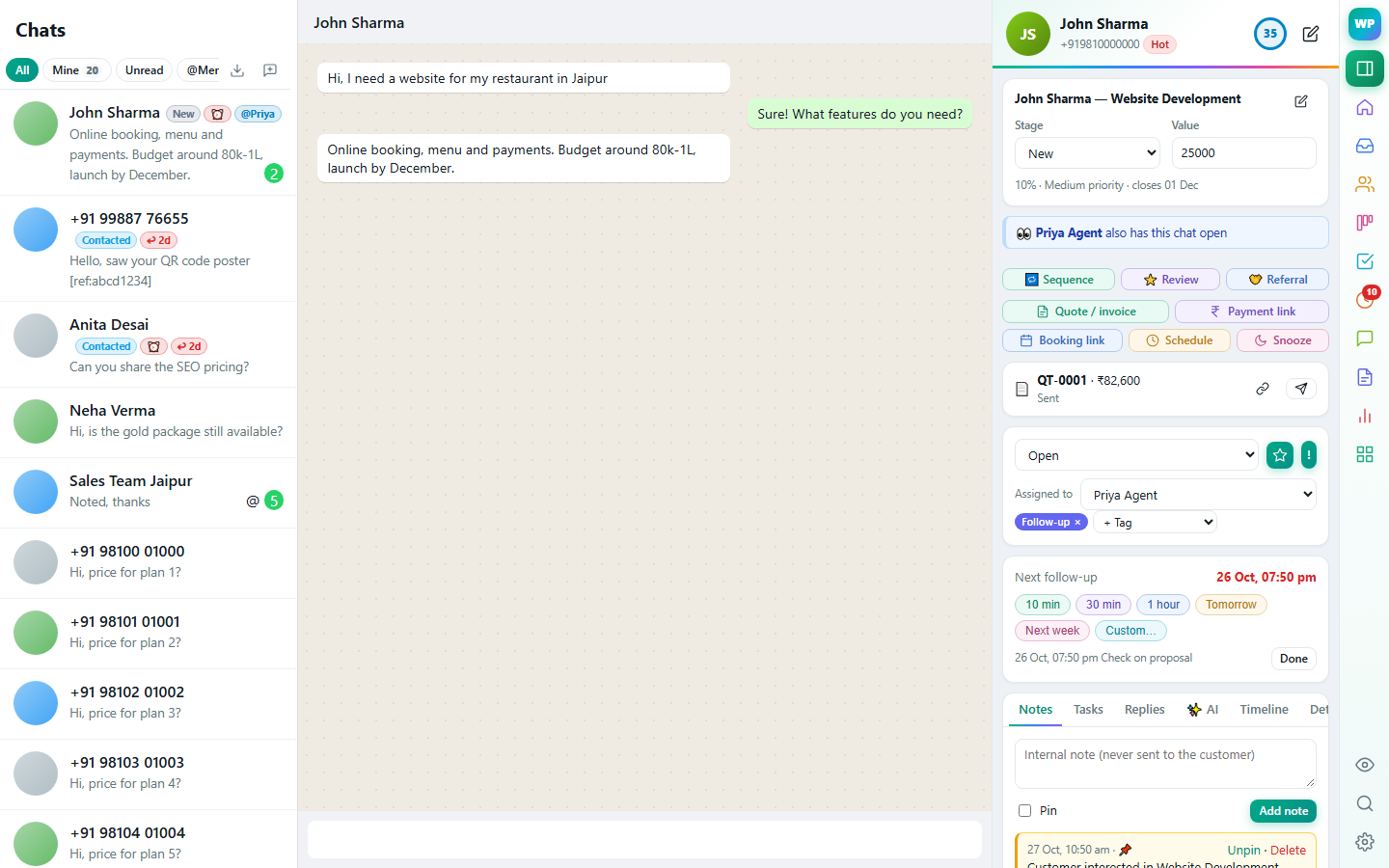
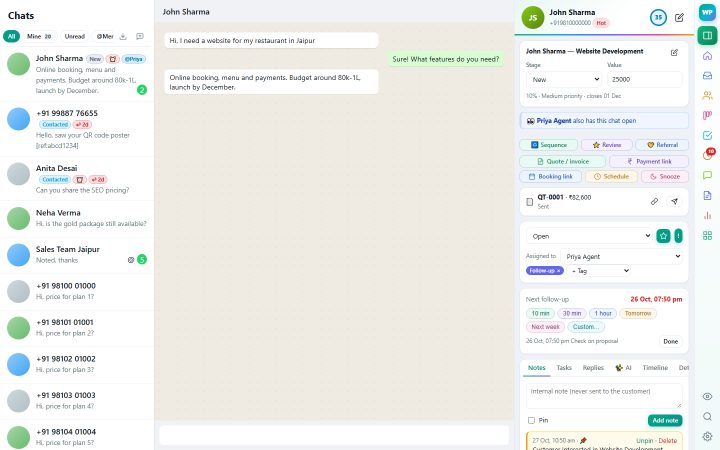
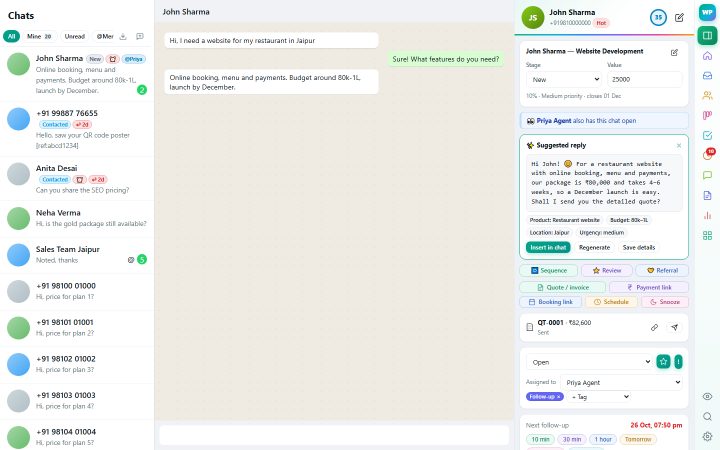
The deal, follow-up, quick actions and notes of the person you're chatting with. Learn more →
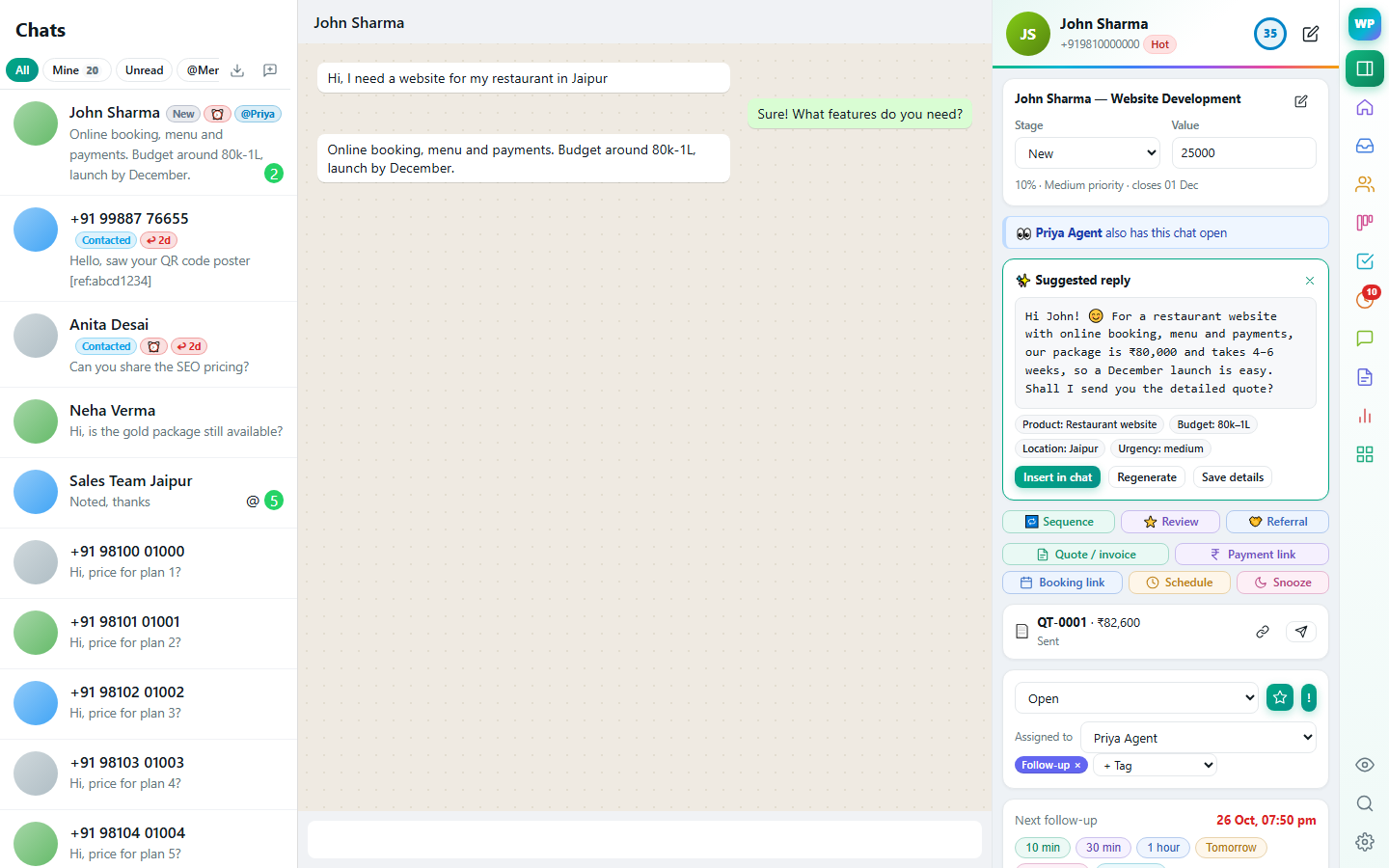
A ready answer from your own knowledge base, plus the lead details it spotted. Learn more →
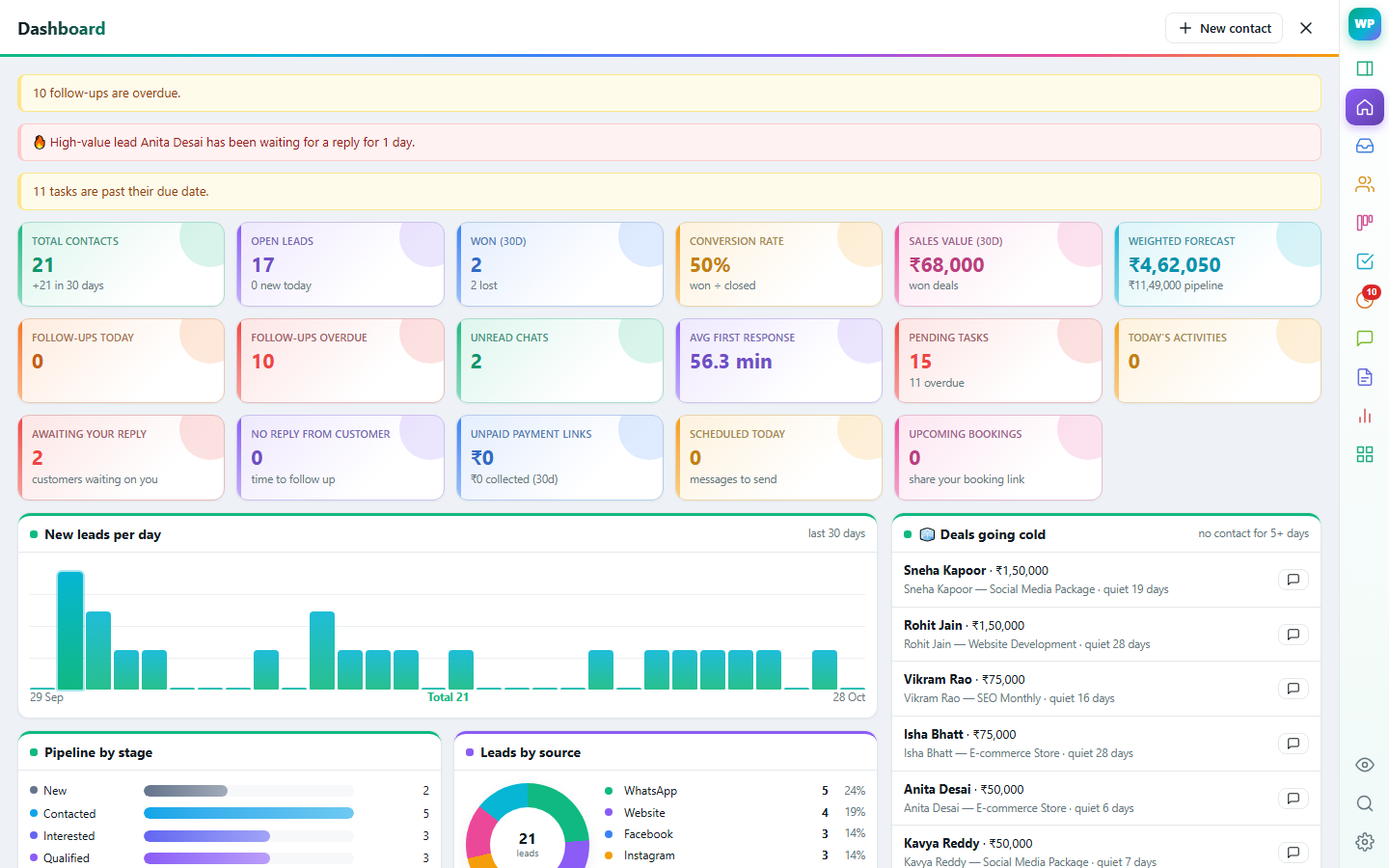
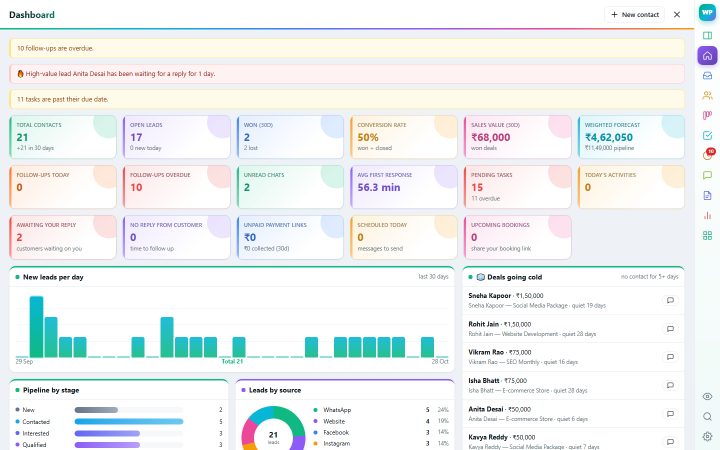
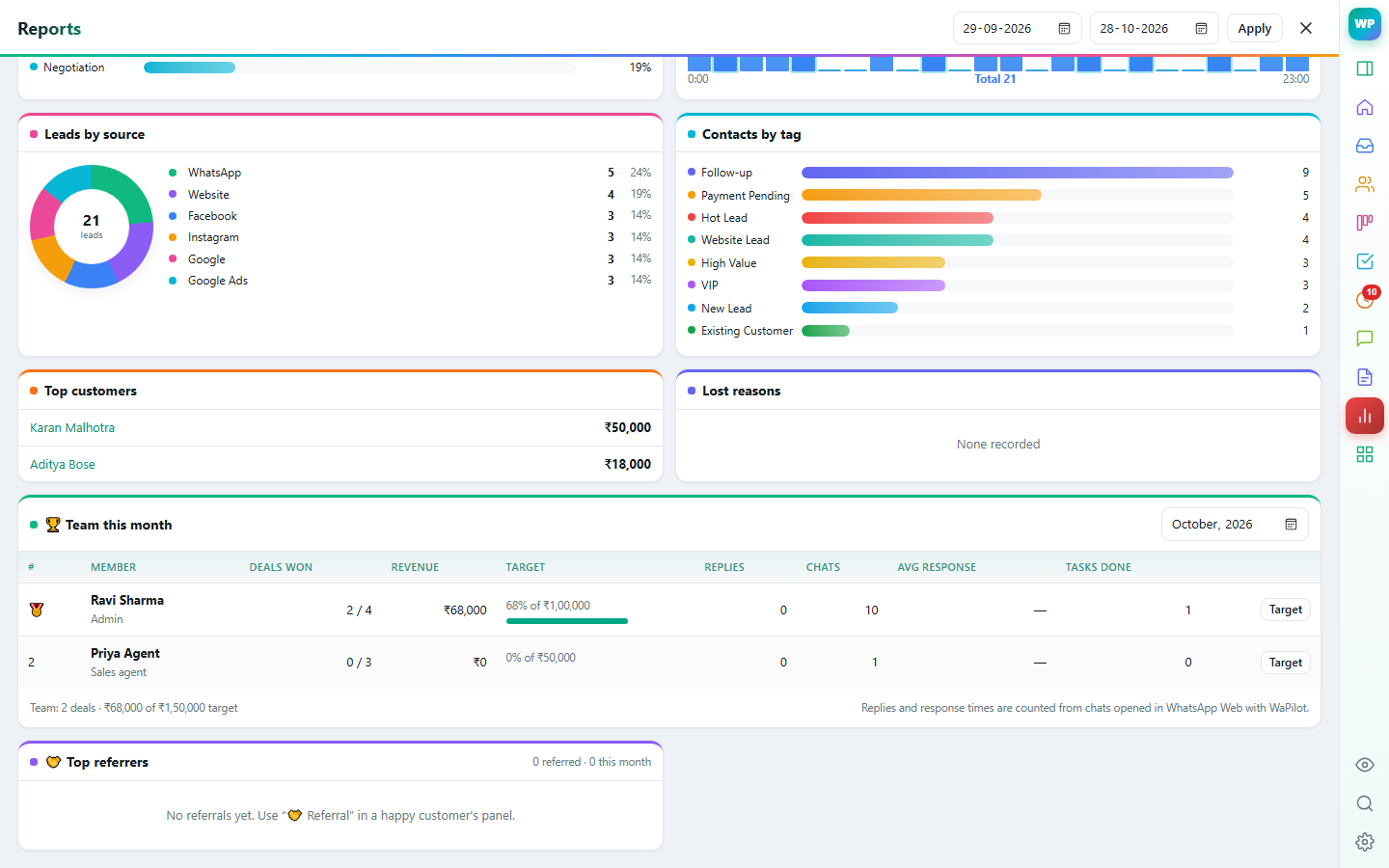
KPIs, colourful charts and deals going cold, at a glance. Learn more →
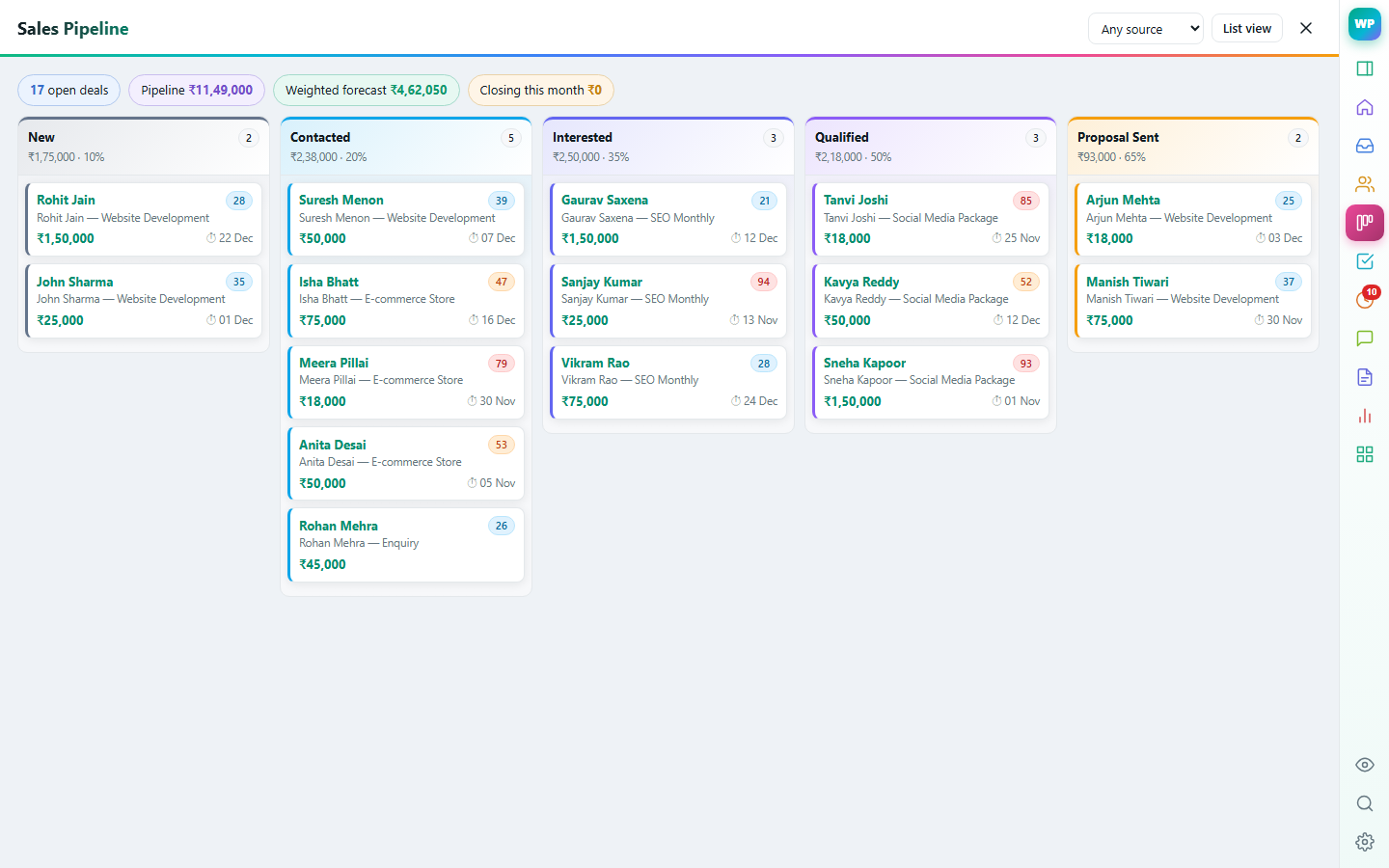
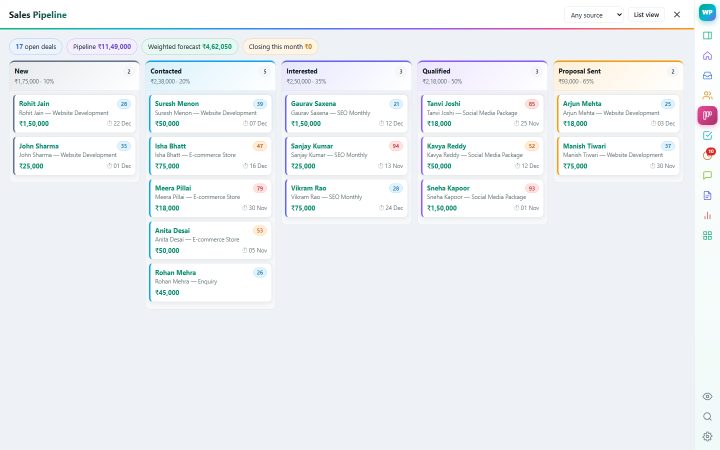
Drag deals through your stages and see the forecast. Learn more →
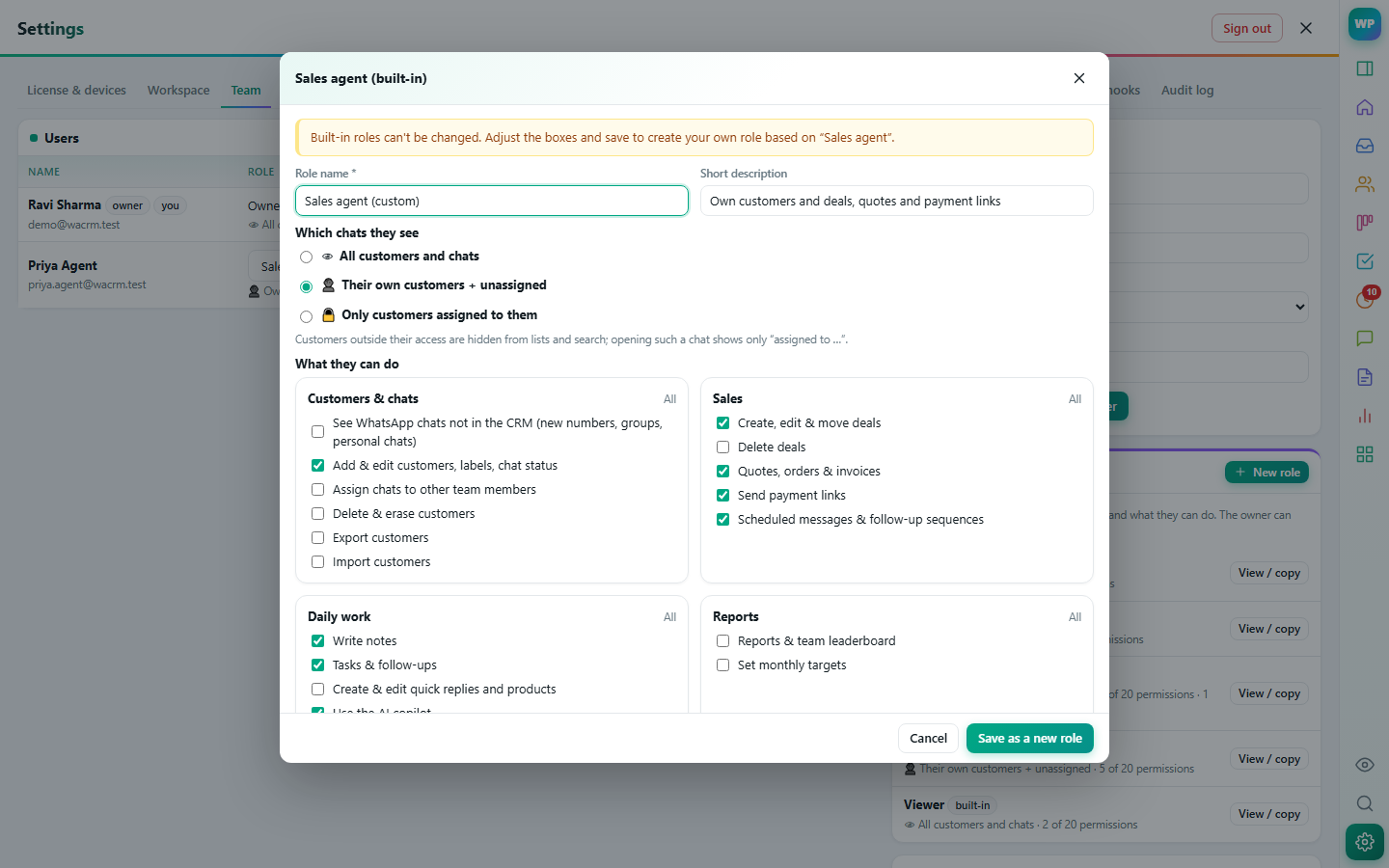
Decide which chats each person sees and what they can do. Learn more →
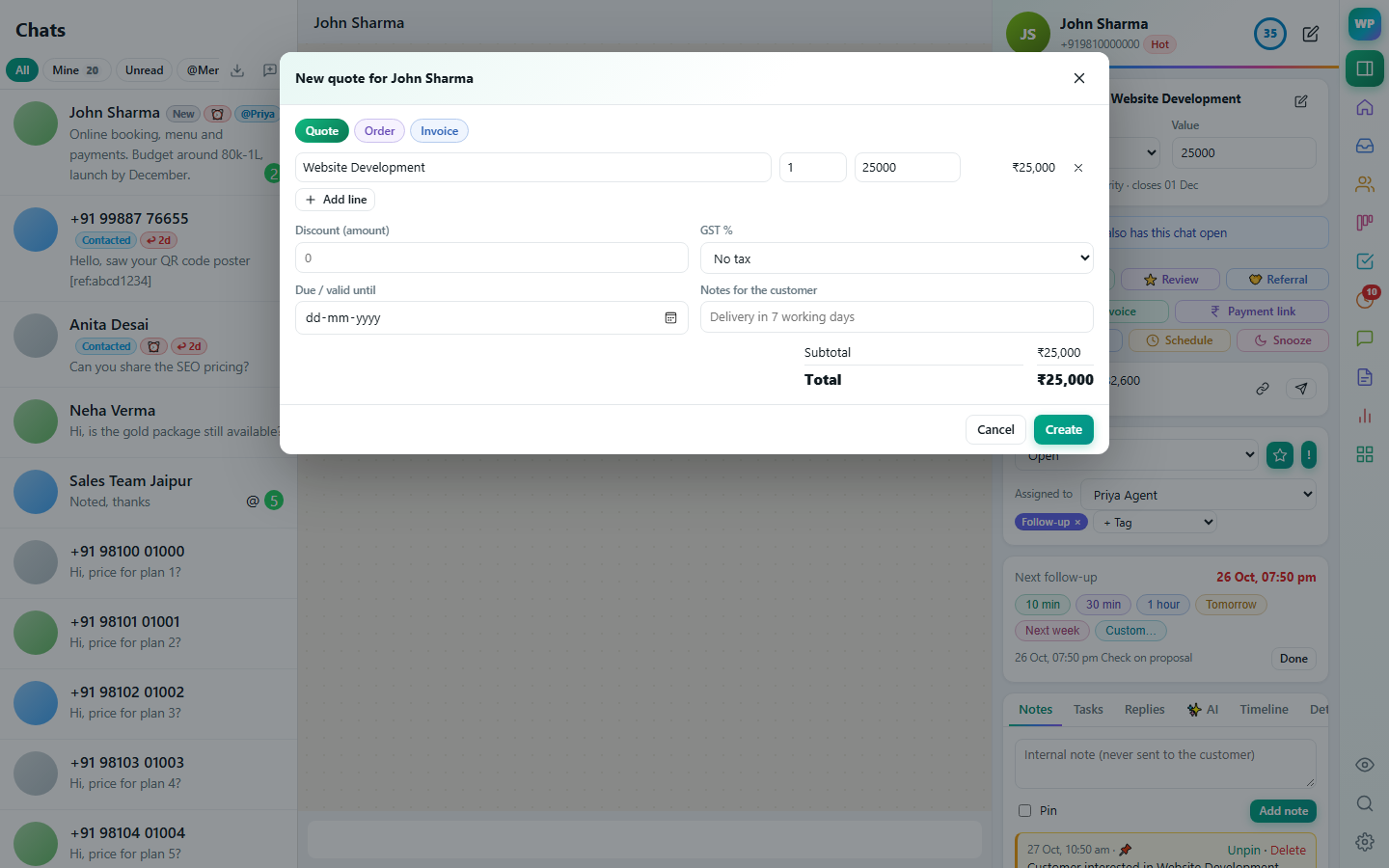
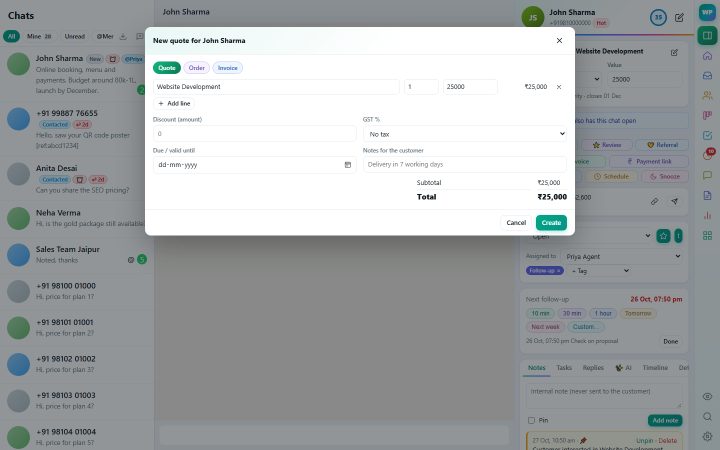
GST quotes and invoices from your catalogue, shared as a link. Learn more →
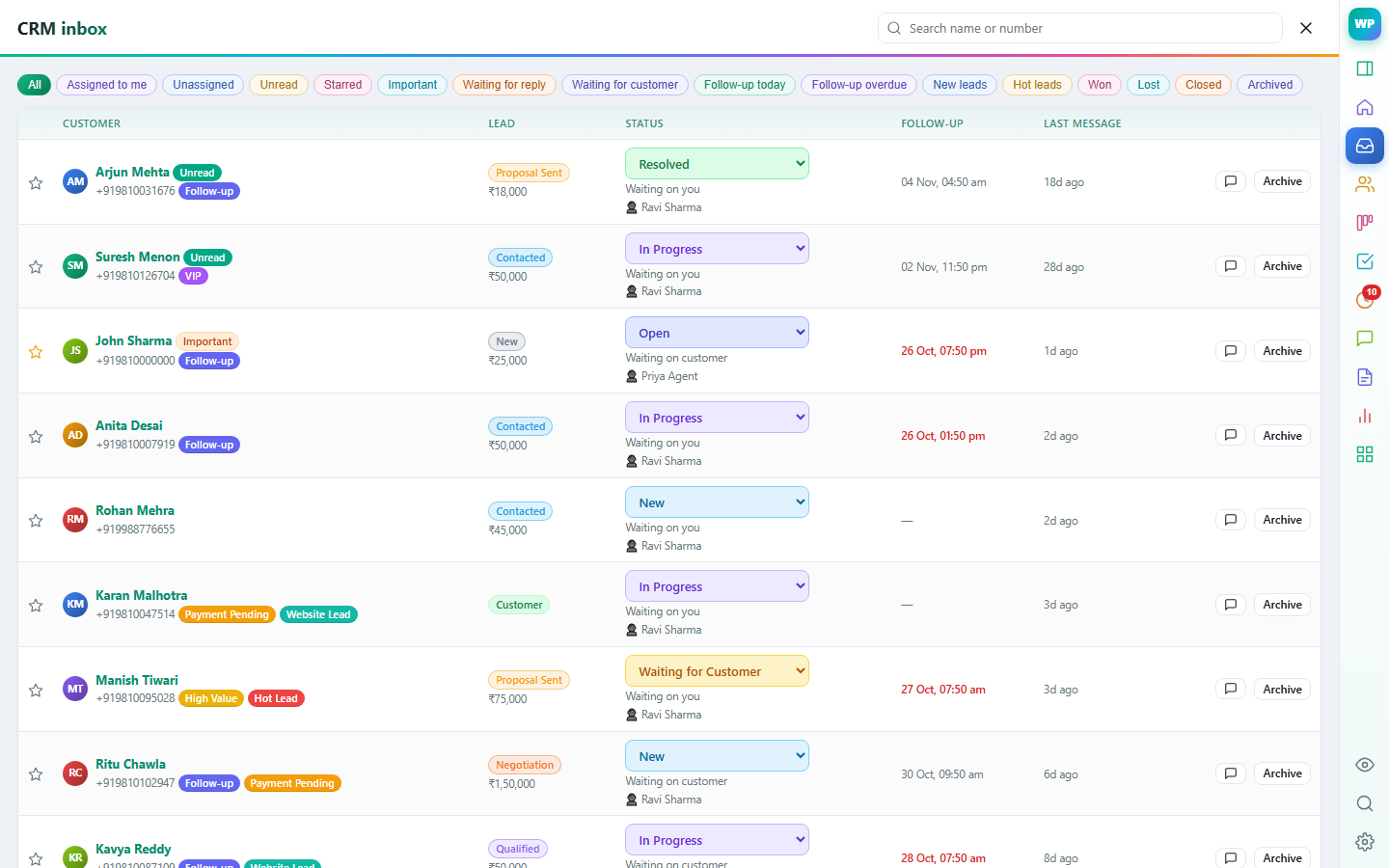
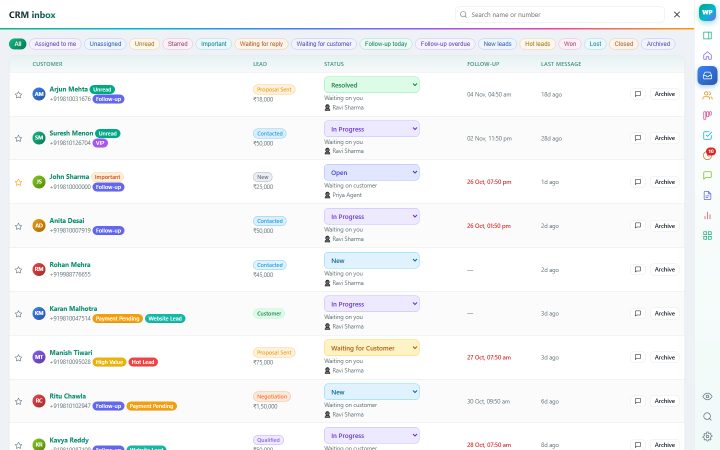
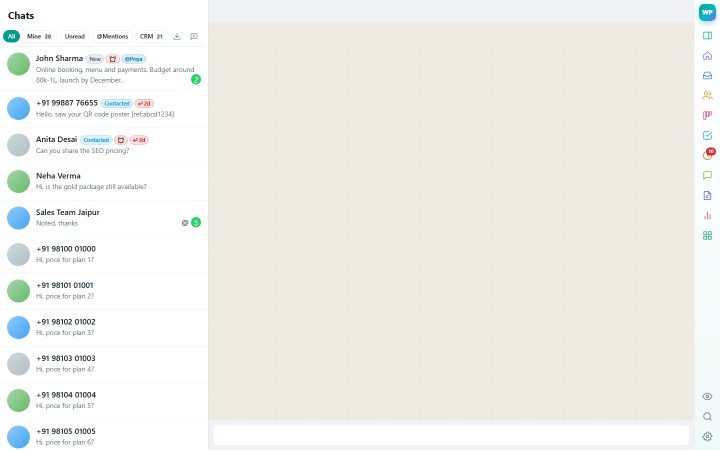
Every conversation with its status, owner and next follow-up. Learn more →
Stop juggling notebooks, spreadsheets and screenshots. Every customer's deal, notes, tasks and history sit beside the conversation.
Deal, notes, tasks, labels and history of the person you're talking to — right next to the chat.
Learn more →Suggested replies from your own knowledge base and catalogue, summaries, lead extraction and translation.
Learn more →Drag deals through stages, forecast revenue, and keep every contact organised.
Learn more →Assign chats, see who is replying, and decide exactly what each person can see and do.
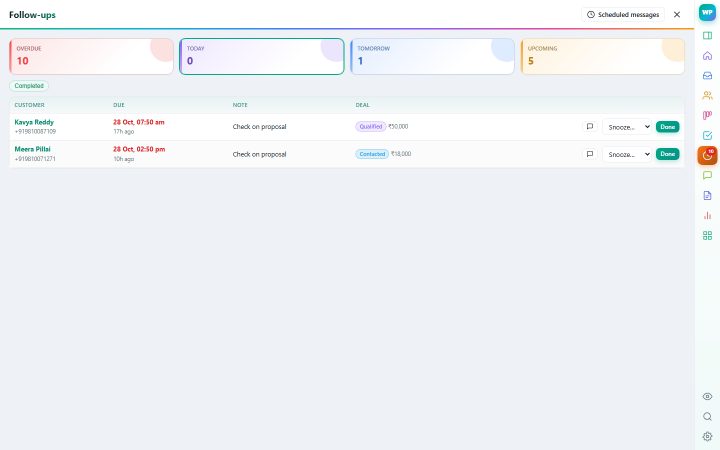
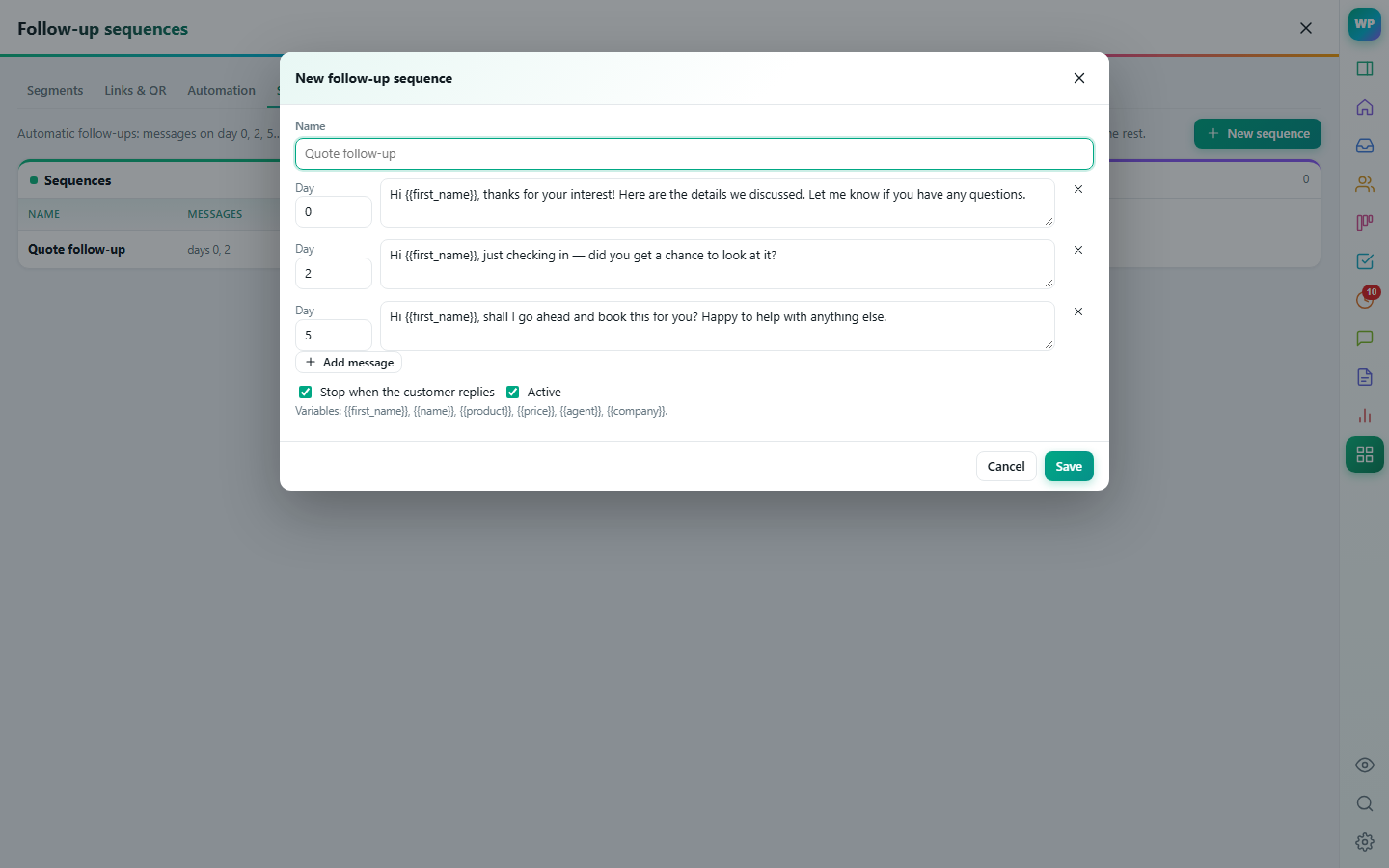
Learn more →Reminders, tasks, scheduled messages and automatic follow-up sequences that stop when the customer replies.
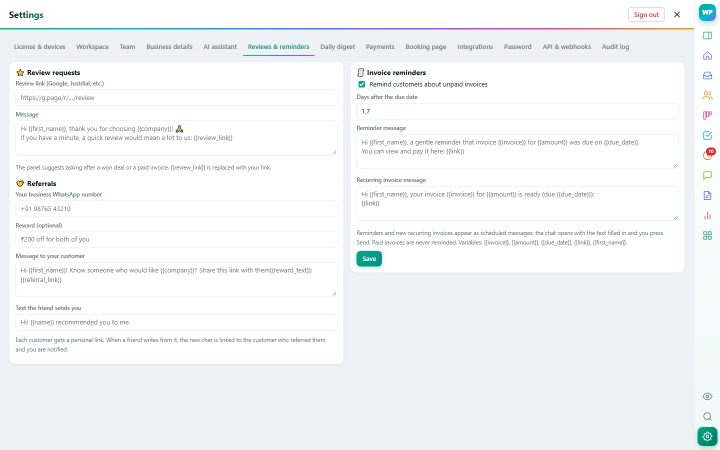
Learn more →GST quotes, orders and invoices from your catalogue, Razorpay payment links, recurring invoices and payment reminders.
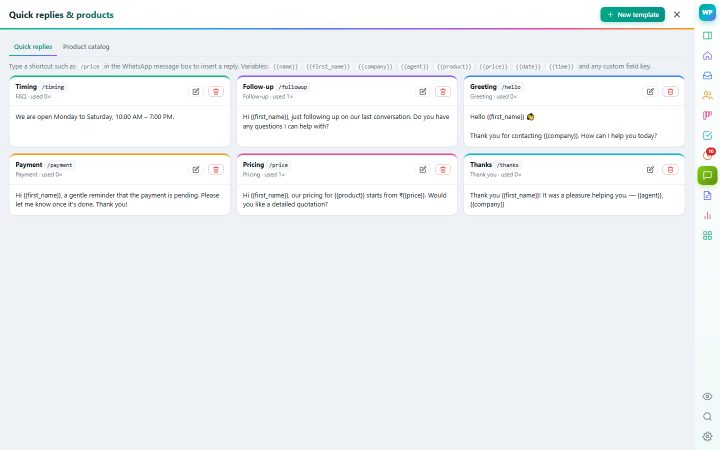
Learn more →Type /price in the chat to insert a template filled with the customer's name, product and price.
Learn more →Live KPIs, revenue and conversion charts, team targets and a daily digest every morning.
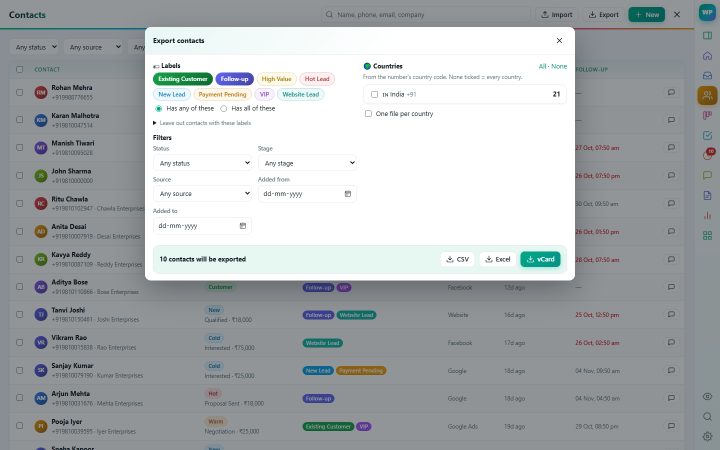
Learn more →Contacts to CSV, Excel or vCard — filtered by label, country, stage or date — and WhatsApp group members.
Learn more →Ask happy customers for a review, give them a referral link, and let people book a slot themselves.
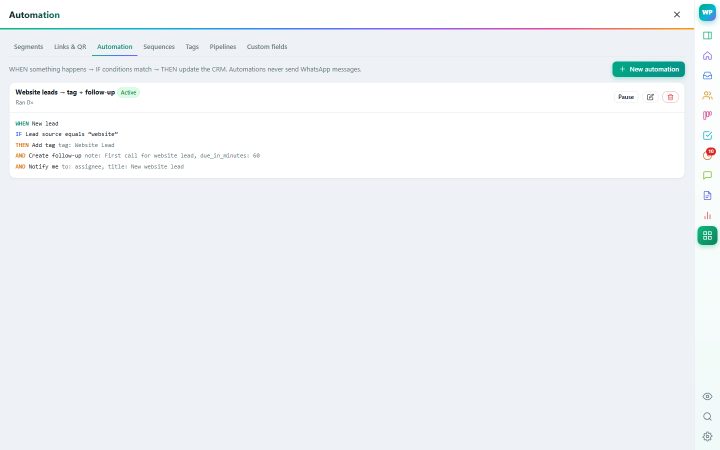
Learn more →When something happens, do something: tag, assign, create a task. Track which ad or QR code brought each lead.
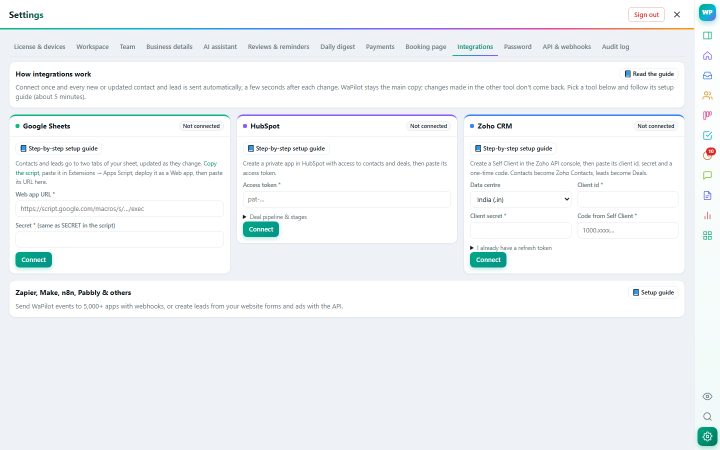
Learn more →Contacts and deals sync automatically, with step-by-step setup guides. Webhooks and an API for everything else.
Learn more →Privacy blur, deleted-message recovery, hidden chats per role, encrypted keys and nothing sent without you.
Learn more →Tell WaPilot about your business once. When a customer asks something, a suggested reply is waiting in the panel — in their language, with only your facts.
Send the quote on day 0, check in on day 2, a last nudge on day 5. The moment the customer replies, the rest stops.
GST quotes from your catalogue, invoices that repeat every month, payment links and polite reminders for overdue invoices.
Pay monthly or yearly with UPI or card. Your login and license key arrive by email instantly, with a GST invoice.
Install WaPilot in Chrome, Edge or Firefox, click its icon and sign in with your email or license key.
The CRM panel appears next to your chats. Add your first customers and set up your quick replies.
Prices include GST.
Until the store listing is live, install the package you received by email:
chrome://extensions (Edge: edge://extensions) and switch on Developer mode.No. It fills in text (AI drafts, sequences, reminders, quick replies, payment and booking links) and you press Send. It never sends messages automatically or in bulk, which keeps your number safe.
Yes. It works with any account you can open on web.whatsapp.com, personal or Business.
Your CRM data (contacts, deals, notes, tasks) is stored on our servers, encrypted in transit, and synced to every browser you sign in on. Your WhatsApp messages stay in WhatsApp unless you switch on chat backup.
You write a short knowledge base in Settings → AI assistant (timings, delivery, policies, FAQs). Your product catalogue and prices are added automatically. The AI only drafts; you decide what to send.
Yes. Team plans include several people on one workspace, with chat assignment, roles, targets and a leaderboard. Each person signs in with their own email.
Click Renew / upgrade in the extension, or enter your license key on the Renew page. Time you buy is added to the end of your current period.
Yes. Every payment creates a tax invoice you can download from the extension or the receipt email. Add your GSTIN at checkout.
Yes. Our partner program gives you your own branded extension, your own prices and a customer panel. See the partner page for plans.
Join the businesses that turned their WhatsApp chats into a sales pipeline.