Your team shares one WhatsApp number without stepping on each other's toes. Assign chats, avoid double replies and limit each person to their own customers.
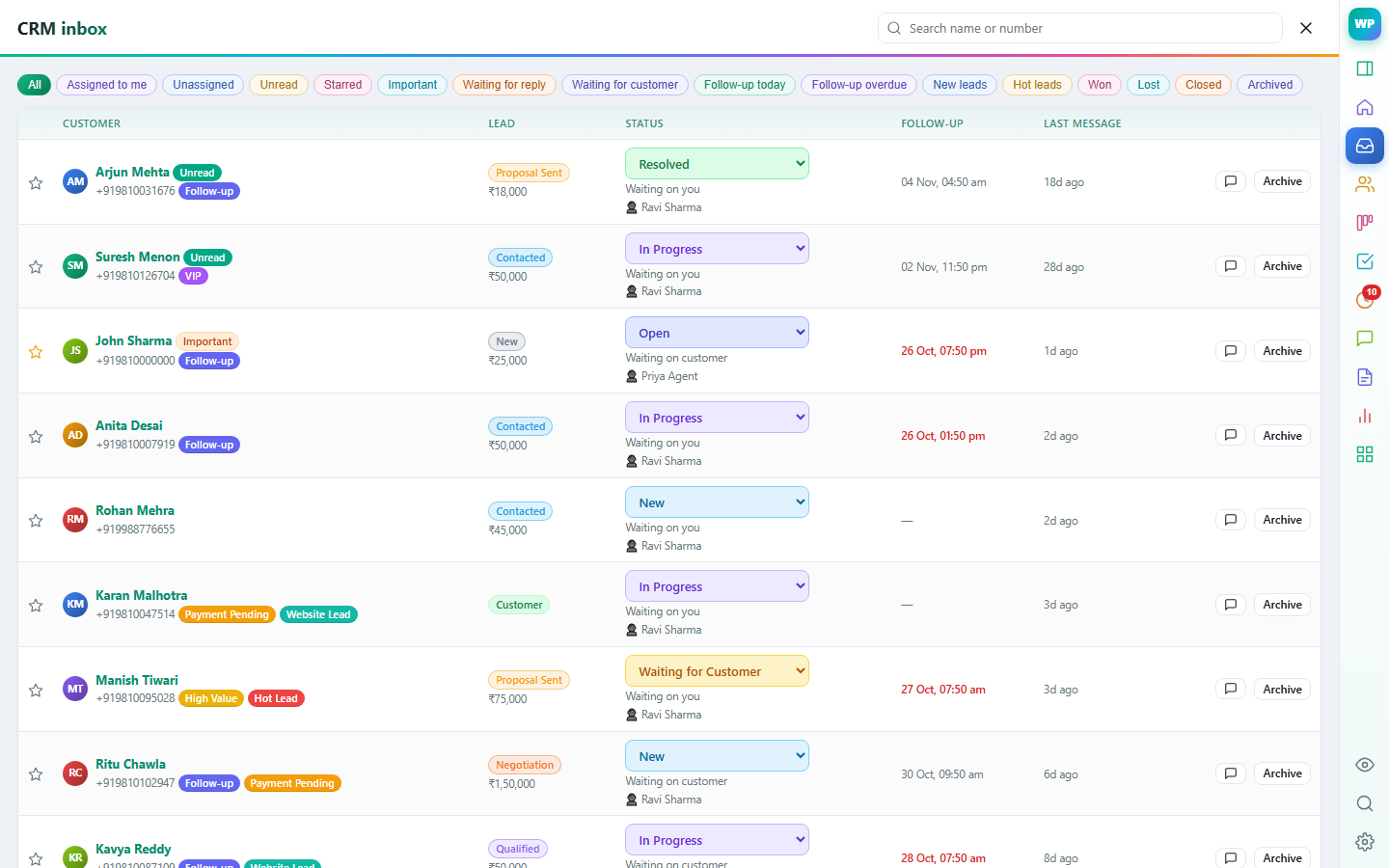
Give a chat to a teammate; they get a notification and find it under Mine.
See when a colleague has the same chat open or is typing a reply.
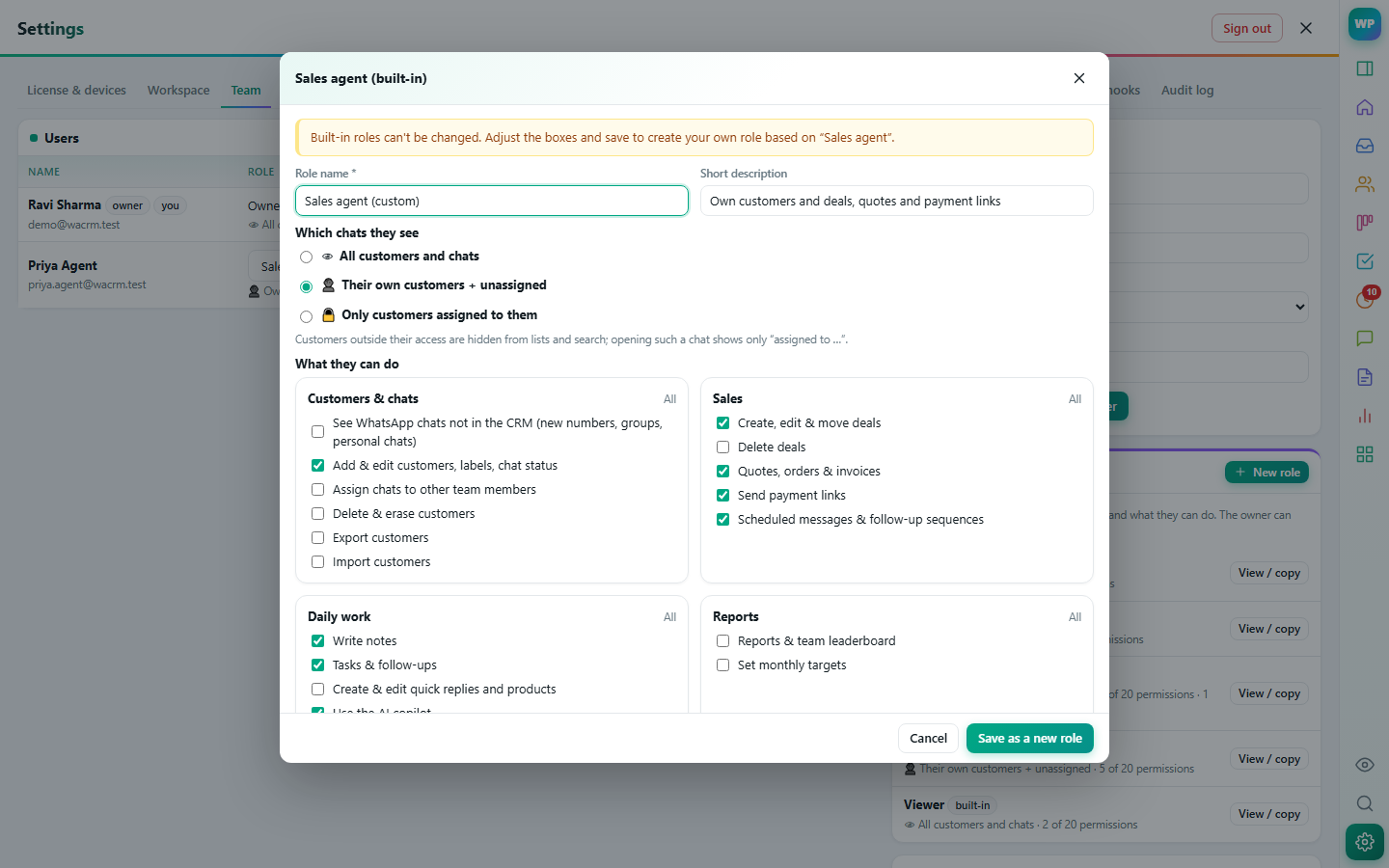
Built-in roles plus your own: choose which chats people see and what they can do.
Agents see their own customers; other chats are covered in WhatsApp's list.
Pick which chats a role sees — all, own and unassigned, or only assigned — and tick what it may do: edit customers, delete, export, quotes, payment links, reports, settings and more. The server enforces it, not just the screen.
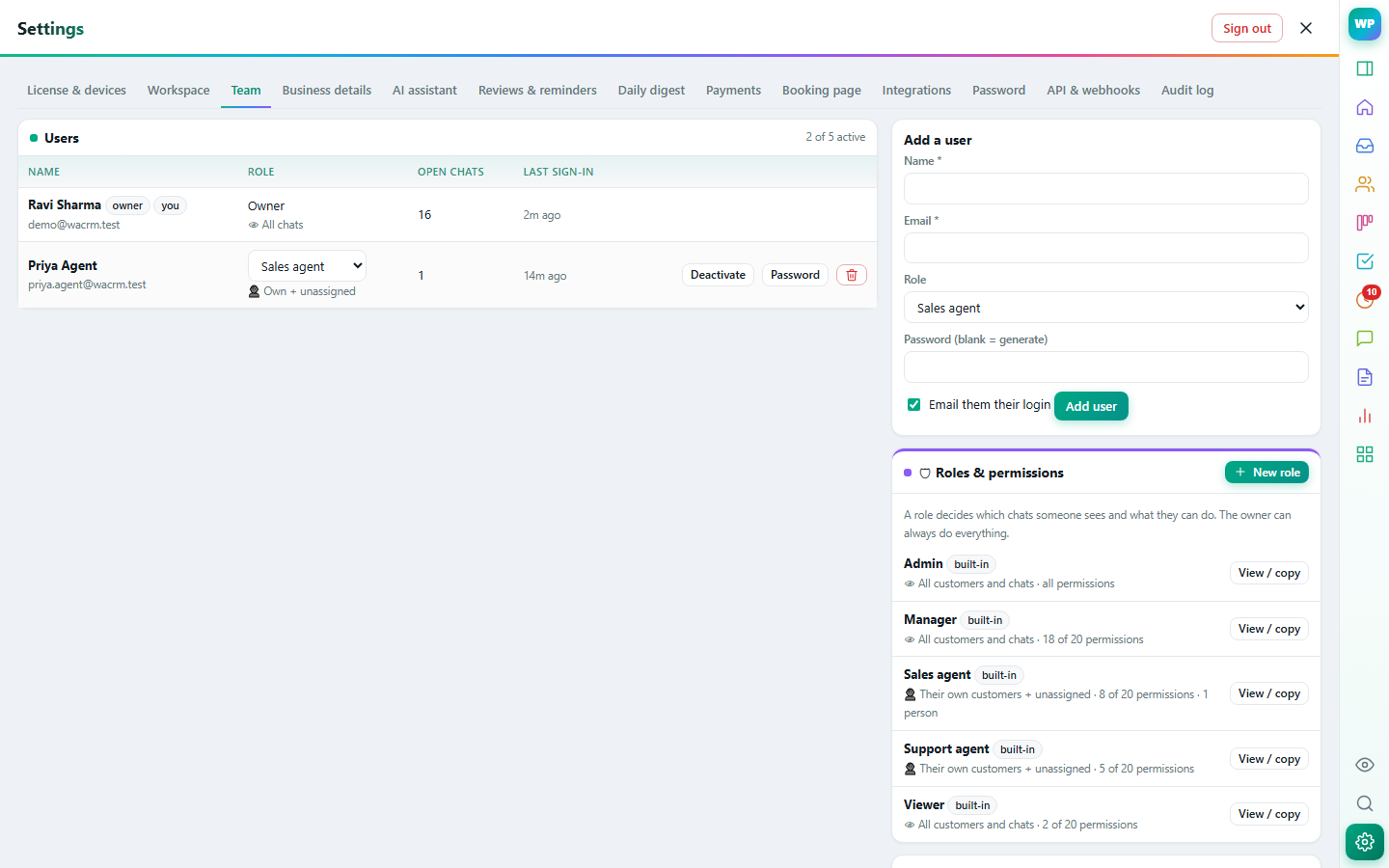
Add teammates by email, set their role, reset passwords and sign out lost browsers. Their work shows up on the team leaderboard.
The phone linked to the number shows all chats; WaPilot controls what each person sees in WhatsApp Web and in the CRM.
Deal, notes, tasks, labels and history of the person you're talking to — right next to the chat.
Learn more →Suggested replies from your own knowledge base and catalogue, summaries, lead extraction and translation.
Learn more →Drag deals through stages, forecast revenue, and keep every contact organised.
Learn more →Reminders, tasks, scheduled messages and automatic follow-up sequences that stop when the customer replies.
Learn more →GST quotes, orders and invoices from your catalogue, Razorpay payment links, recurring invoices and payment reminders.
Learn more →Type /price in the chat to insert a template filled with the customer's name, product and price.
Learn more →Assign chats, see who is replying, and decide exactly what each person can see and do.
 WaPilot